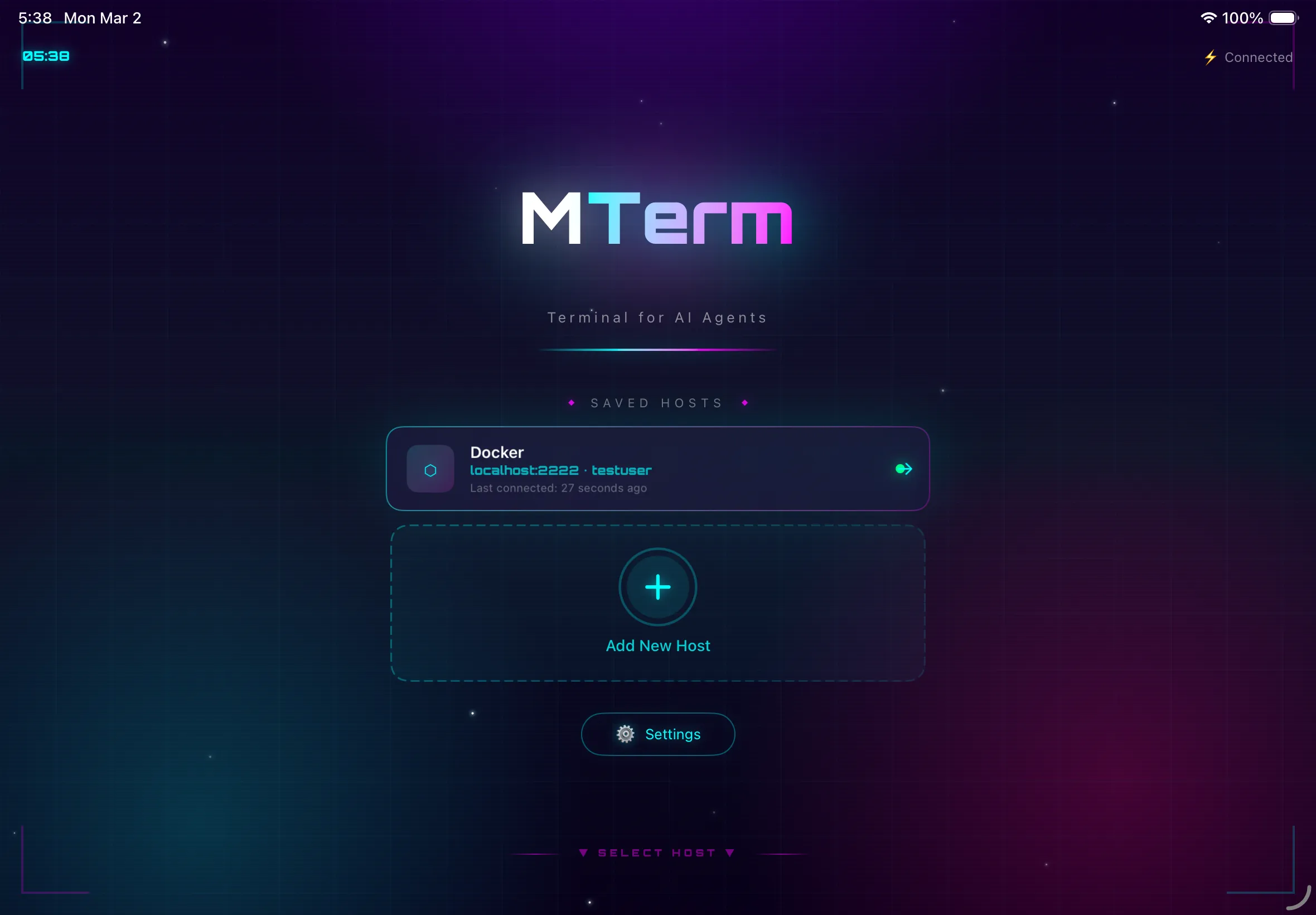
TERMINAL FOR AI AGENTS
An SSH client for comfortably using terminal tools like Claude Code from your iPhone or iPad
Turn your iPad into a real dev machine
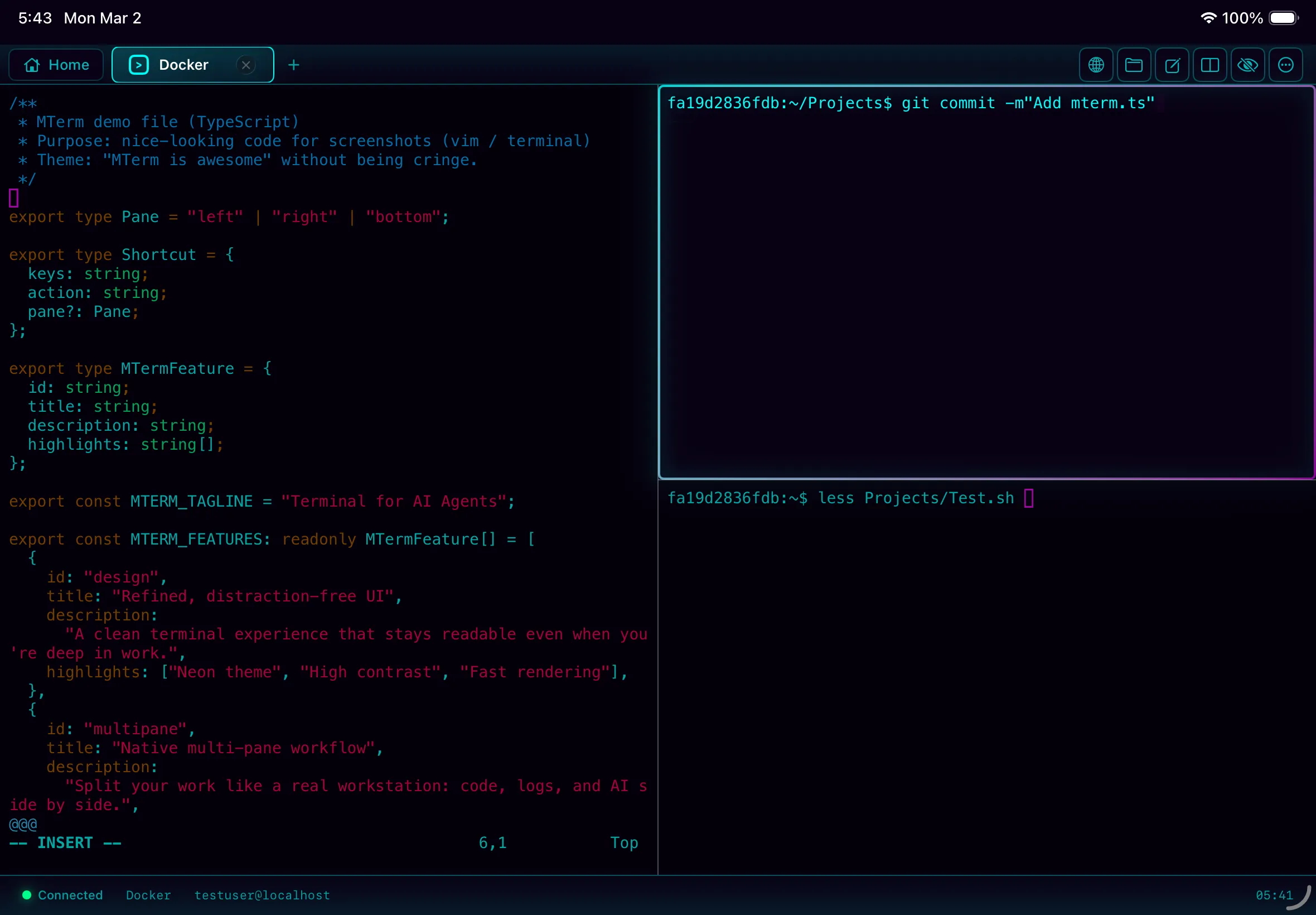
Pane splitting, tmux, SFTP — your iPad becomes a serious development machine. Pair it with a Magic Keyboard for a desktop-class workflow.
Use Claude Code comfortably from your iPad. Keep coding with AI even when away from your desk.
On the train, at a café — with iPad and MTerm, your server is always at hand.
Securely connect to Mac/Linux servers from iPhone or iPad
Optimized for AI Agent terminal operations
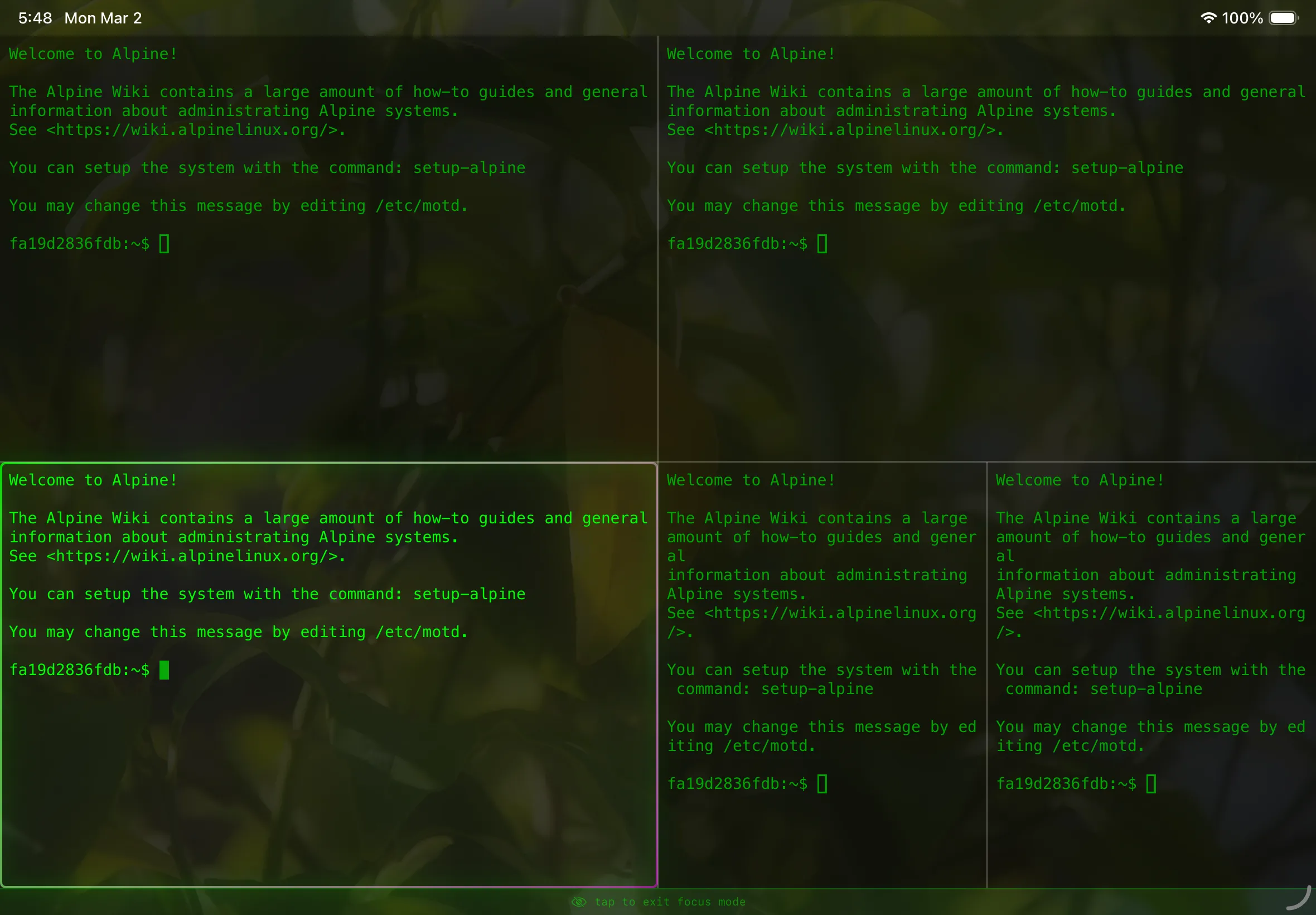
Split multiple terminals within the app
Browse and manage server files visually. Seamless integration with Claude Code
Auto-detect mouse mode and scroll integration
Command history and snippets synced via iCloud. Dynamic values with variable expansion
Local and Remote Port Forwarding support. Set up secure tunnels in one tap
Perfect display of CJK characters (Chinese, Japanese, Korean)
Secure authentication with password/private key
Integrated dev experience combining terminal and Finder. Works seamlessly with Claude Code
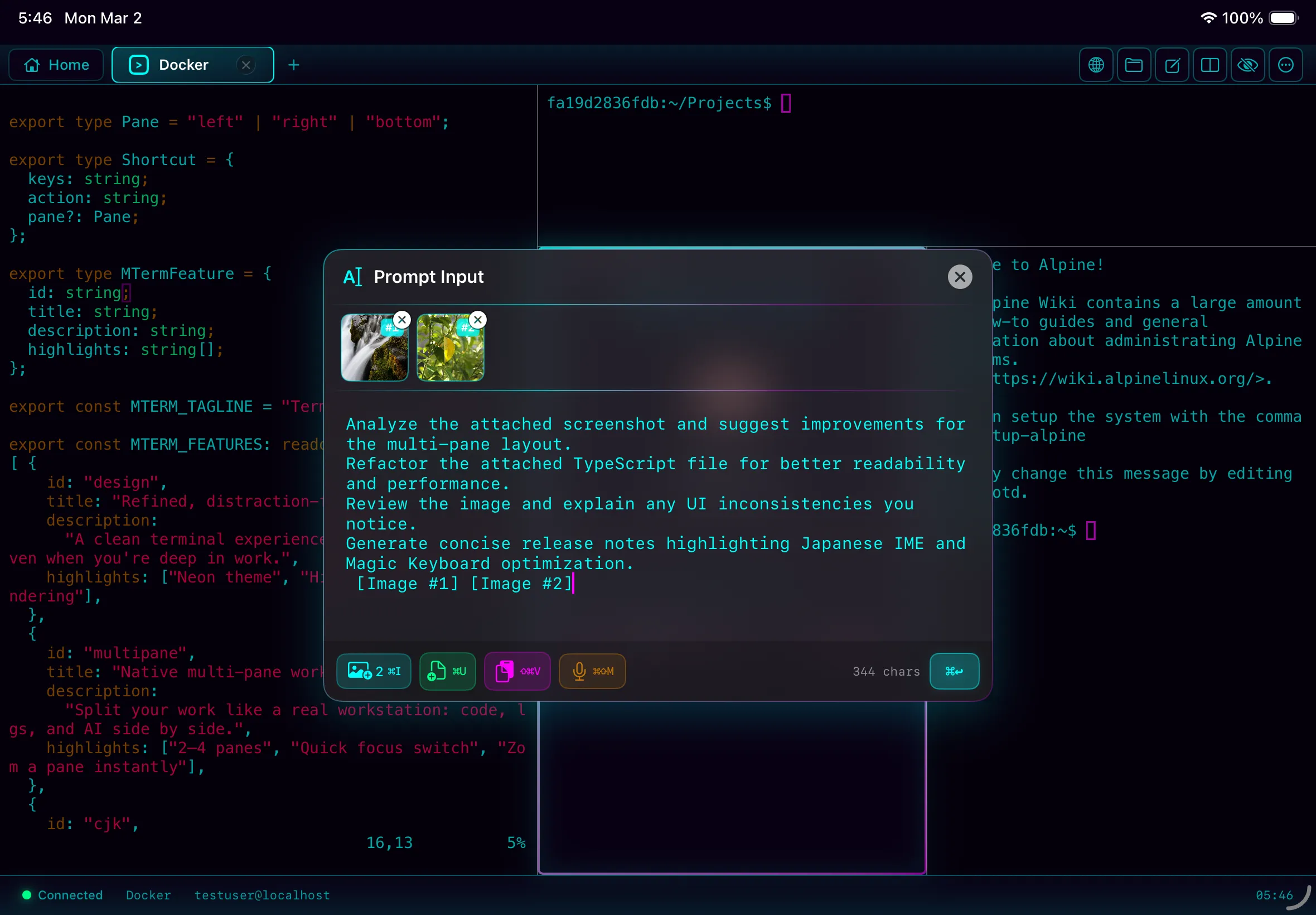
Save and manage system prompts as templates. Send to AI instantly with one tap
Remembers pane count and layout per host. Launch and get to work instantly next time.
Manage multiple servers in tabs simultaneously. Maximize efficiency with seamless switching.
Hide the UI and immerse in the terminal. A zen world where only the code exists.
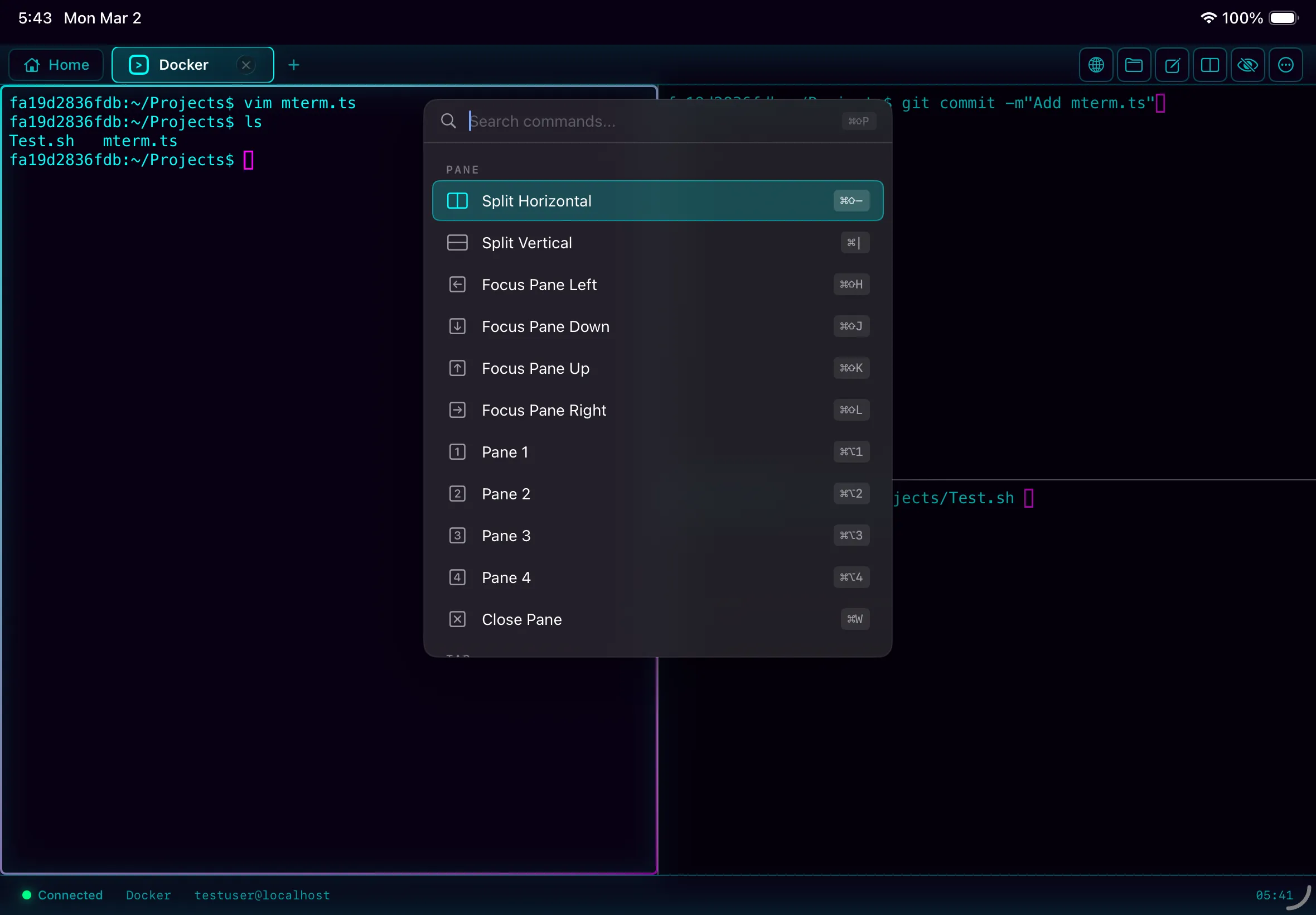
Instant access to every action with ⌘+K. Stay on keyboard for lightning-fast workflow.
Dedicated input screen to attach images and files for AI. Unleash the full power of iPad.
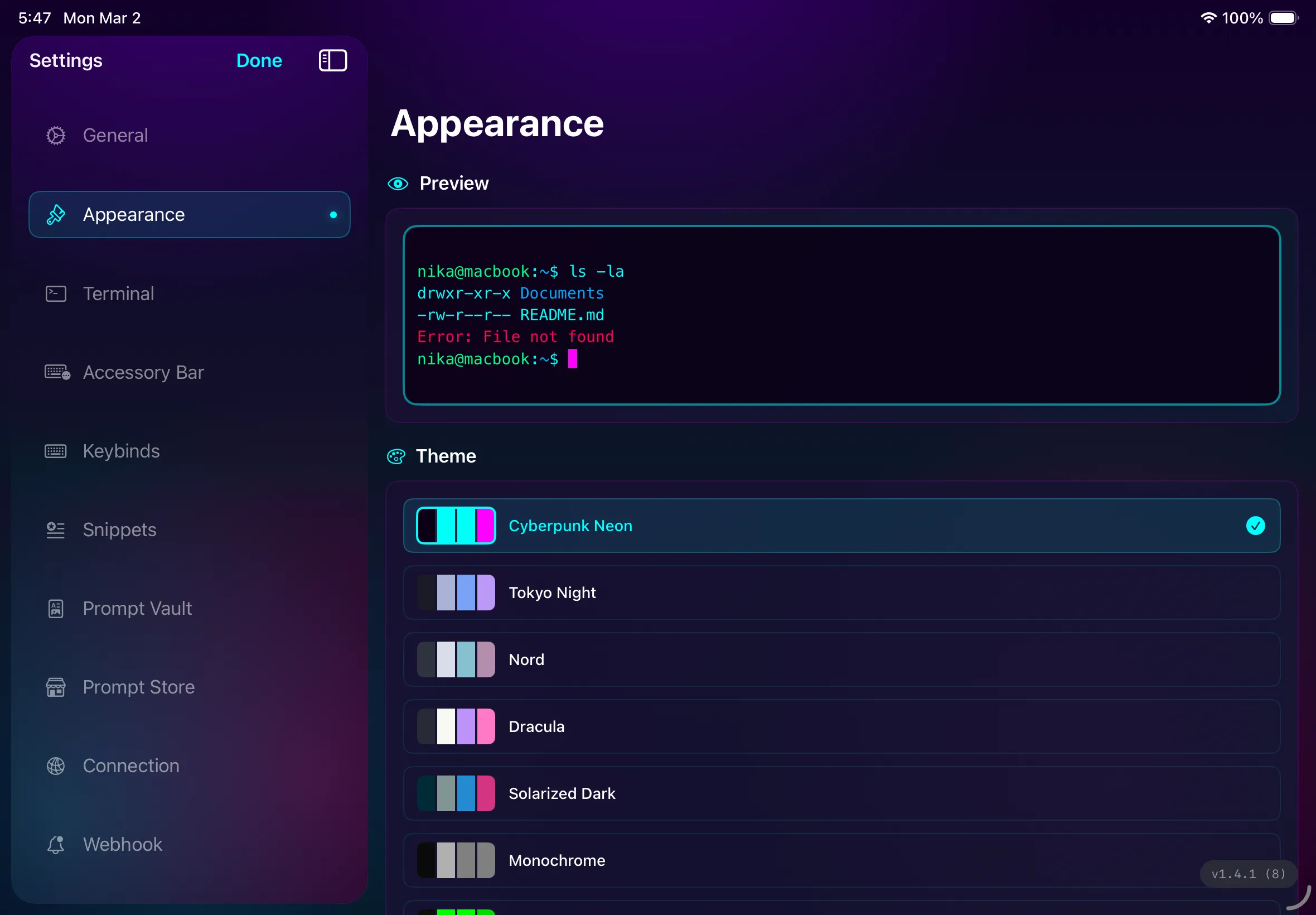
Set fonts, colors, and backgrounds to your liking. Build a terminal that's uniquely yours.
Control Claude execution externally via Webhook. Build notification and automation pipelines.
Securely connect to Mac/Linux servers from iPhone or iPad
Optimized for AI Agent terminal operations
Split multiple terminals within the app
Browse and manage server files visually. Seamless integration with Claude Code
Auto-detect mouse mode and scroll integration
Command history and snippets synced via iCloud. Dynamic values with variable expansion
Local and Remote Port Forwarding support. Set up secure tunnels in one tap
Perfect display of CJK characters (Chinese, Japanese, Korean)
Secure authentication with password/private key
Integrated dev experience combining terminal and Finder. Works seamlessly with Claude Code
Save and manage system prompts as templates. Send to AI instantly with one tap
Remembers pane count and layout per host. Launch and get to work instantly next time.
Manage multiple servers in tabs simultaneously. Maximize efficiency with seamless switching.
Hide the UI and immerse in the terminal. A zen world where only the code exists.
Instant access to every action with ⌘+K. Stay on keyboard for lightning-fast workflow.
Dedicated input screen to attach images and files for AI. Unleash the full power of iPad.
Set fonts, colors, and backgrounds to your liking. Build a terminal that's uniquely yours.
Control Claude execution externally via Webhook. Build notification and automation pipelines.
Beautiful interface of MTerm